.avif)


Contract creation remains one of the most persistent bottlenecks between procurement and legal. A request clears approval, then loses momentum, sitting idle while someone manually drafts an agreement, routes it through Legal review, chases down signatures, and confirms execution. For teams managing dozens of vendor relationships across procurement, legal, and finance, that friction doesn't just slow things down. It scales.
Disconnected systems make it worse. Contracts live in email threads, intake data gets re-entered by hand, and status updates require chasing multiple people across multiple tools. The result? Slower cycles, inconsistent agreements, and no clear system of record.
The Spendflo x LinkSquares integration closes this gap. By connecting procurement intake directly to contract creation in LinkSquares, teams can move from approved request to signed agreement without manual handoffs, duplicate entry, or tool switching.
What This Means for Your Team
Legal, procurement, and finance teams no longer need to treat contract execution as a separate, manual workflow. The Spendflo x LinkSquares integration brings every step, creation, review, signature, and tracking, inside your procurement process.
Create Agreements Directly from Procurement Workflows
Upload a draft agreement or select an approved LinkSquares template directly from Spendflo. The integration automatically creates the agreement in LinkSquares and moves it through review, signature, and completion, without anyone leaving the workflow.
No manual uploads. No copy-pasting vendor data. No forwarding documents to Legal and waiting for a reply. The procurement request and the contract are connected from the start.
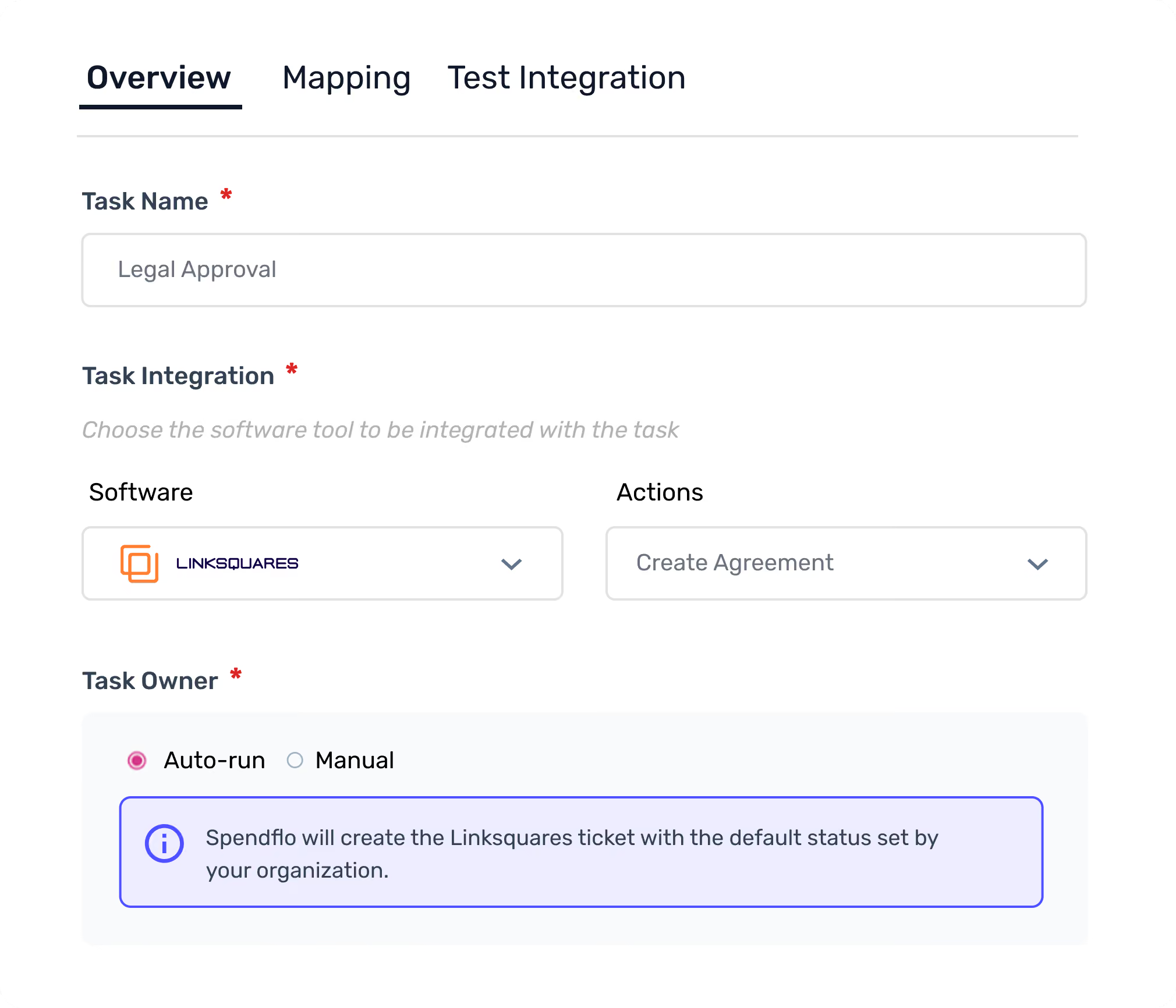
Use Approved Legal Templates from LinkSquares
During the workflow, teams can choose from their organization's approved LinkSquares templates ensuring every agreement is built on language that Legal has already vetted.
Mandatory intake fields enforce completeness before creation. Vendor details, signer information, and agreement terms are captured upfront, so nothing is missing when the contract reaches Legal for review.
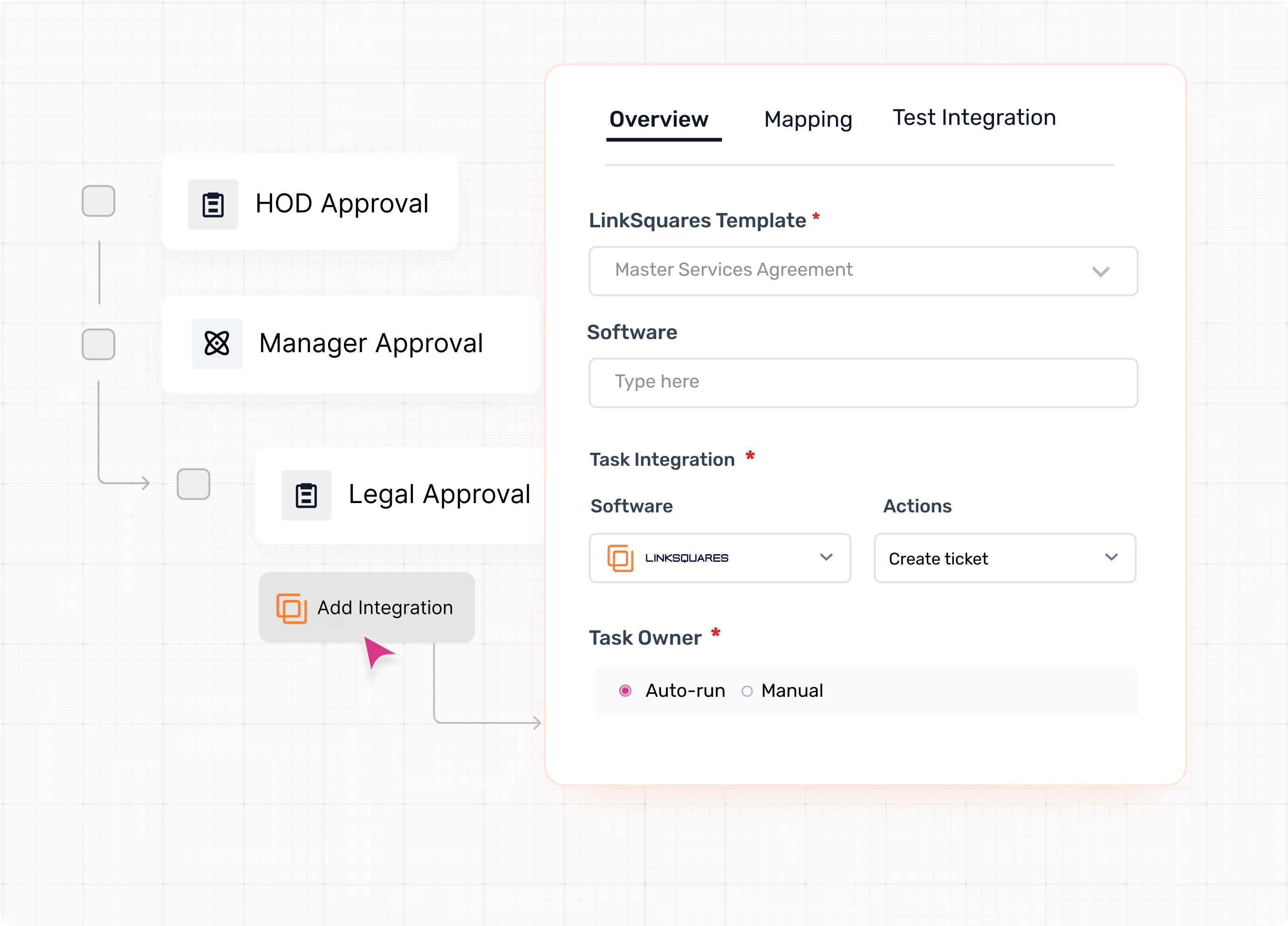
Real-Time Agreement Status Sync
Spendflo automatically retrieves the LinkSquares Agreement Name, URL, and Status, surfacing them directly within the workflow task. Teams can track progress - from internal review to executed agreement, without logging into LinkSquares separately.
Whether the contract is under review, pending signature, or fully executed, the status is visible where the work is happening.
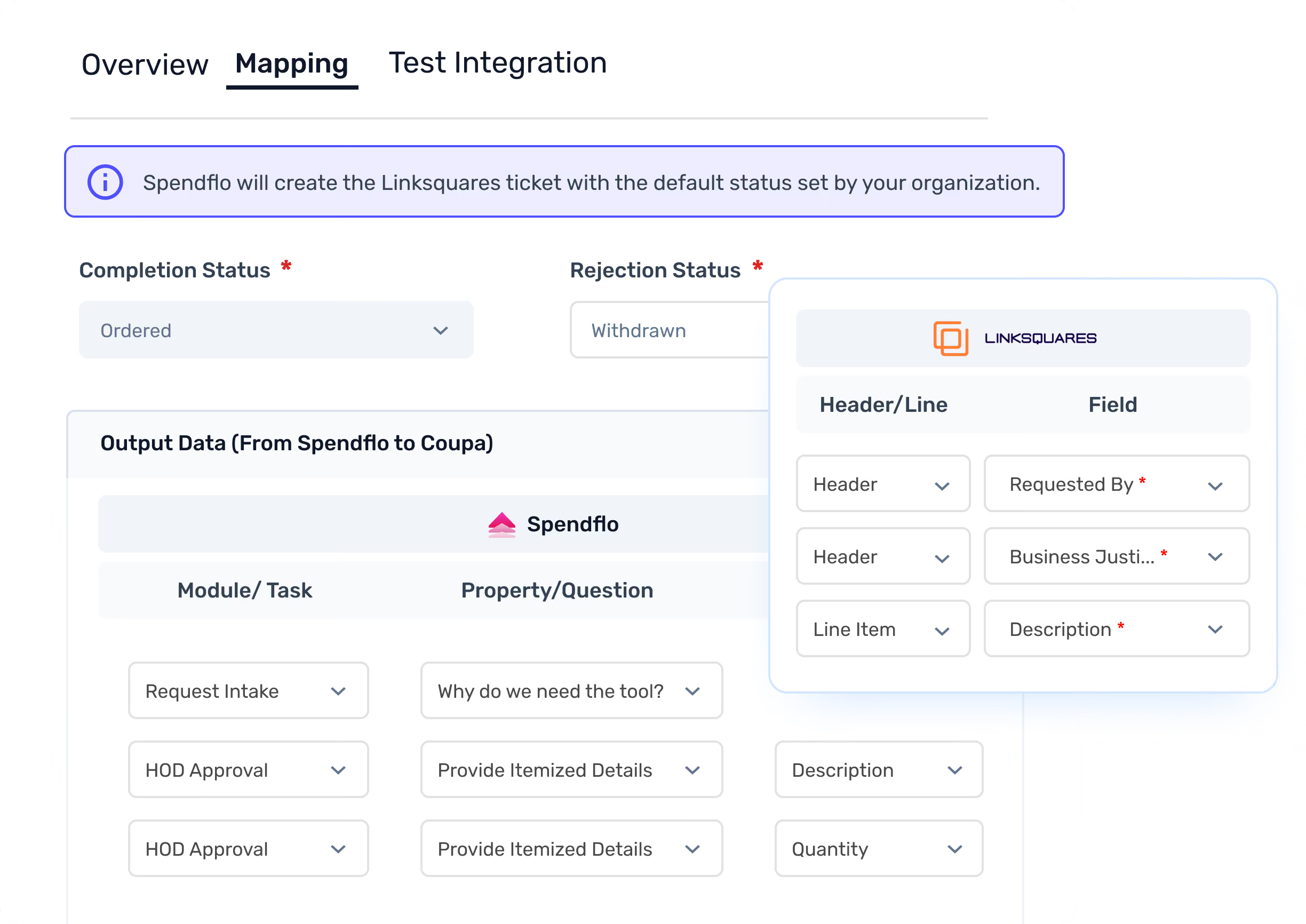
Automatic Workflow Completion Based on Agreement Status
Define which LinkSquares statuses should trigger completion or rejection in Spendflo. Once the agreement reaches that status, Spendflo automatically updates the task and attaches the final signed document to the workflow record.
No manual follow-up. No separate confirmation step. The workflow moves forward the moment the contract does.
.avif)
How It Works?
The integration is designed to remove every manual handoff between procurement intake and contract execution.
Step 1 : Submit a Procurement Request
A user submits a vendor request in Spendflo, capturing all relevant details, vendor information, agreement type, key terms, and required documentation.
Step 2: Select a Template or Upload a Draft
At the contract stage, the team selects an approved LinkSquares template or uploads a draft agreement. Mandatory intake fields ensure all required information is captured before creation
Step 3: Agreement is Created in LinkSquares
Spendflo pushes the structured intake data into LinkSquares, automatically creating the agreement and initiating the review and signature workflow — no manual re-entry required.
Step 4 : Track Status in Real Time
The Agreement Name, URL, and Status from LinkSquares are synced back into Spendflo. Teams can monitor progress from internal review through to signed completion, all within the workflow task.
Step 5: Workflow Completes Automatically
When the agreement reaches the defined completion status in LinkSquares, Spendflo closes the task and attaches the signed document to the workflow record. Done.
Built for Legal, Procurement, and Finance Teams
The Spendflo x LinkSquares integration is designed for organizations where multiple teams are involved in getting a vendor contract created and executed.
For legal teams, it means agreements are created from approved templates with complete intake data reducing back-and-forth and ensuring compliance before review even begins.
For procurement teams, it means contracts are no longer a bottleneck. The workflow moves forward automatically as the agreement progresses.
For finance teams, it means every signed contract is attached to its originating request, with a full audit trail and no documents lost in email.
The Bottom Line
Most procurement tools stop at approval. Spendflo goes further connecting the approved request to contract creation, tracking, and execution in LinkSquares without any manual steps in between.
The result is faster contract cycles, fewer errors, and a single system of record that legal, procurement, and finance teams can all rely on.
Key benefits at a glance:
- Create agreements directly from procurement workflows , no tool switching
- Use approved LinkSquares templates with enforced intake fields
- Real-time status sync: track agreements from review to signature inside Spendflo
- Automatic workflow completion when agreements reach defined statuses
- Signed documents attached to the workflow record automatically
Get Started Today
The Spendflo x LinkSquares integration is live.
Ready to eliminate manual handoffs, accelerate contract cycles, and keep every agreement tied to your procurement workflow?
Learn more about Spendflo's LinkSquares integration or book a demo to see it in action.


-compressed.avif)










.avif)
.avif)