


"On average, companies waste nearly 30% of their SaaS spend on unused tools and forgotten subscriptions." – Gartner, 2024.
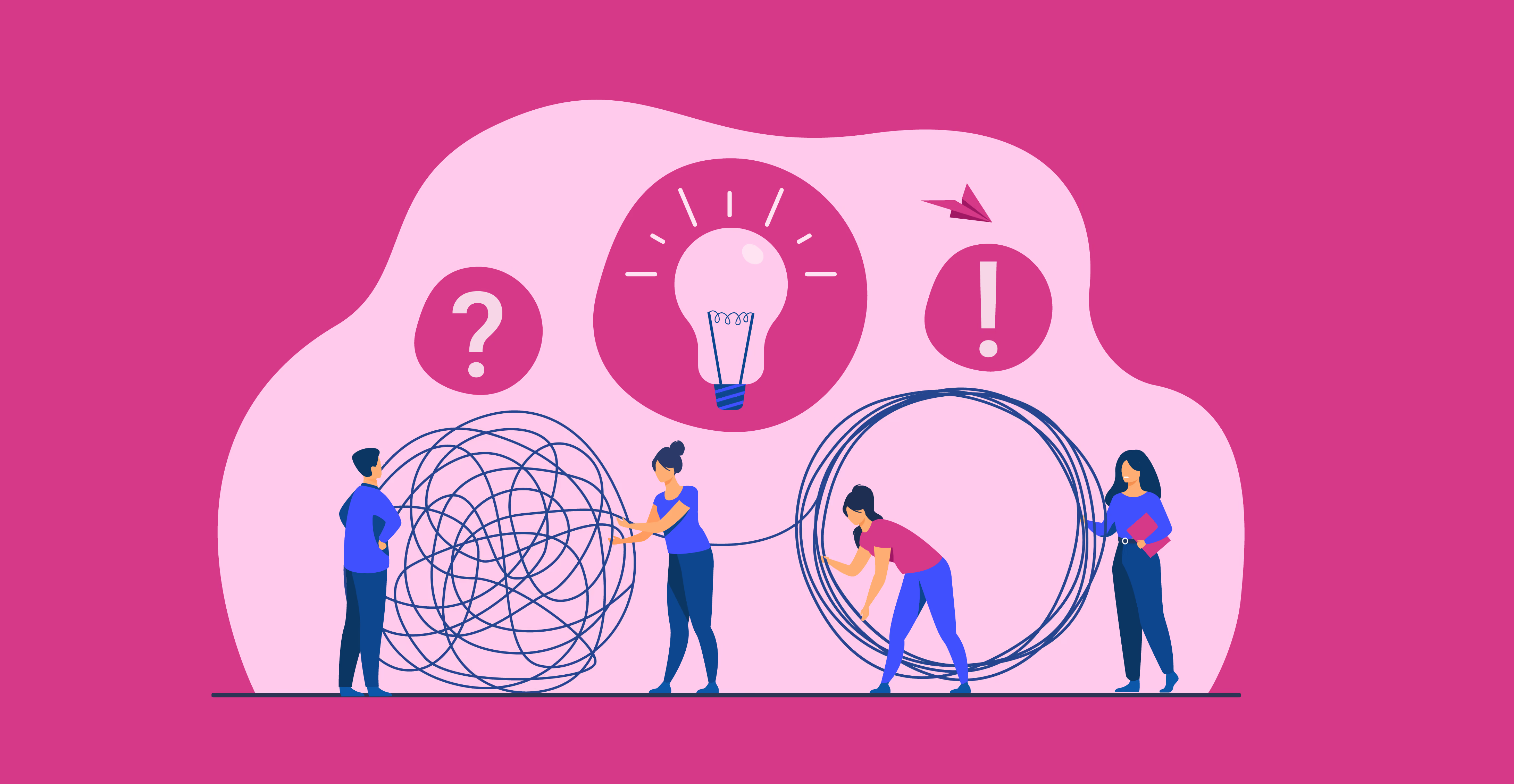
With SaaS costs climbing and budgets tightening, decentralized buying has become one of the most overlooked risks in enterprise software purchasing. What feels like flexibility for teams often creates inefficiency, shadow IT, and unnecessary expense. Understanding the challenges of SaaS buying for teams, and how to manage them, is now a priority for finance, IT, and procurement leaders alike.
What Is SaaS Buying?
SaaS buying can mean two things: acquiring SaaS companies through mergers and acquisitions, or purchasing SaaS tools for everyday business use. Here, we’re talking about the second one the process companies use to evaluate, purchase, and manage tools like Zoom, HubSpot, or Salesforce.
Buying SaaS software isn’t as simple as swiping a credit card. It involves checking vendors, comparing prices, negotiating contracts, and ensuring compliance. A structured buying process helps finance and procurement teams keep costs in check, gain better visibility, and reduce waste. If you’re figuring out how to buy SaaS the right way, the next steps will guide you through a smarter, more cost-effective approach.
Why SaaS buying got decentralized
Hyper-growth teams need the tools to be more productive and build higher-quality products. They need it fast. They don’t have the time to wait for organizational red tape to work its way before they have access to a simple cloud deployment tool or social media publishing software. These needs are instant.
Yet, organizational buying processes are inefficient and cause delays. Send a mail > get approval from skip manager > wait for procurement to negotiate with the vendor > wait for legal to vet the contract > wait for the signatory to actually sign the contract > wait for finance to release payment > wait for license number > so on and so forth.
Employees' response to this red tape is “I’ll do it myself” aka decentralized buying.
While it has its challenges, centralization is not the answer. Embracing decentralization is. Here’s how.
What to Look for When Buying SaaS
Choosing the right tool goes beyond features. A clear set of SaaS evaluation criteria helps you make decisions that save money and avoid vendor lock-in. Start by reviewing the software selection criteria that matter most to your team:
- Pricing models and contract terms: Understand subscription tiers, renewal clauses, and hidden costs.
- Security certifications: Check for SOC 2, ISO 27001, or GDPR compliance to protect your data.
- Integration capabilities: Confirm the tool connects with your ERP, CRM, or identity systems.
- Scalability and support: Make sure the solution can grow with your business and offers responsive help.
- User reviews and peer feedback: Real-world experiences give context you won’t find in sales demos.
The SaaS Buying Process: 7 Essential Steps
A structured SaaS buying process ensures you choose the right tools without overspending. Below are the key SaaS procurement steps every business should follow in their software purchasing process:
1. Define Business Requirements
Document what you need the software to achieve. Clarify must-have features, compliance requirements, and budget limits before starting vendor conversations.
2. Form a Buying Committee
Involve stakeholders from finance, IT, procurement, and end-user teams. This prevents bias and ensures well-rounded SaaS vendor selection.
3. Research and Shortlist Vendors
Compare providers using reviews, analyst reports, and peer recommendations. At this stage, create a shortlist of vendors who meet your core needs.
4. Request Demos and Trials
This is where you validate your options. During a SaaS demo or software trial, test usability, integrations, and support responsiveness. Ask vendors about onboarding, data security, and contract flexibility. Most companies expect a free trial evaluation of 14–30 days to get real usage feedback.
5. Negotiate Pricing and Contracts
Review pricing models, renewal terms, and hidden fees. Negotiating at this stage can reduce costs and secure favorable terms before commitment.
6. Complete Vendor Due Diligence
Check security certifications (e.g., SOC 2, ISO 27001), compliance readiness (GDPR/CCPA), and vendor stability. Strong due diligence avoids long-term risks.
7. Implement and Monitor Usage
Once selected, roll out the tool with proper onboarding. Track adoption, usage, and ROI through dashboards to ensure value over time.
Top SaaS Buying Platforms and Tools
With SaaS spend rising, businesses are turning to specialized SaaS buying platforms to control costs, simplify procurement, and improve vendor management. Below, we compare some of the best SaaS buying tools to help you evaluate the right fit.
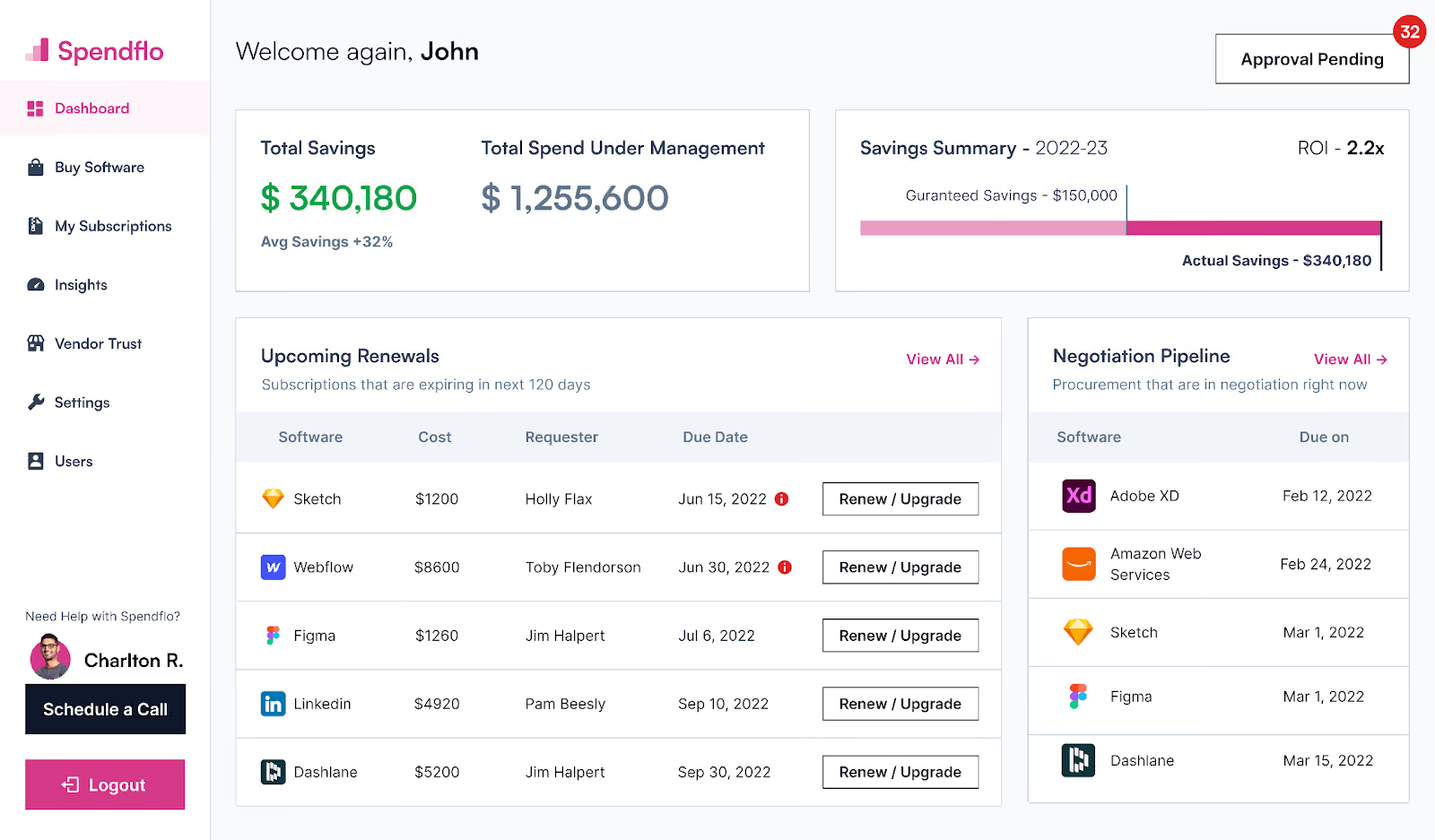
Spendflo
Spendflo is an AI-native SaaS procurement and buying platform that helps finance, procurement, and IT teams gain complete control over software spend. It combines AI automation with expert-led negotiations to guarantee savings, streamline renewals, and centralize vendor management. Designed for growing mid-market and enterprise businesses, Spendflo offers measurable ROI through smarter buying and ongoing optimization.
Key Features
- AI-native SaaS procurement software with intake-to-procure workflows
- SaaS Intelligence: Shadow IT discovery, vendor pricing benchmarks, license optimization
- Managed procurement services with embedded negotiation support
- 100+ integrations (ERP, HRIS, SSO, Finance systems)
Pros
- Guaranteed 30% savings on SaaS and vendor contracts
- Procurement experts negotiate on your behalf
- Centralized visibility and compliance workflows
Cons
- Best suited for SaaS-heavy organizations; may be overkill for very small teams
Best For: Mid-market to enterprise companies (60–1000+ employees) that need complete visibility, negotiation support, and measurable ROI.
Ready to see Spendflo in action? Book a free demo and discover how AI-led procurement delivers guaranteed savings and visibility.
CloudEagle
CloudEagle is a SaaS management and optimization platform built to help mid-sized businesses track usage, manage renewals, and reduce unnecessary software costs. It focuses on visibility, license management, and workflow automation rather than hands-on negotiation services.
Key Features
- SaaS discovery and license optimization
- Renewal reminders and workflow automation
- Integrations with ERP and HR systems
Pros
- Strong SaaS visibility and cost optimization tools
- User-friendly dashboard
Cons
- Lacks embedded negotiation services
- Limited advanced procurement workflows
Best For: Mid-sized businesses seeking SaaS management platforms for license tracking and renewals.
Vendr

Vendr is a SaaS buying concierge platform that takes a hands-off approach to procurement. The company’s experts negotiate directly with vendors on your behalf using deep pricing benchmarks and vendor data. It’s best for organizations looking to outsource the negotiation process entirely while maintaining transparency into spend.
Key Features
- SaaS buying concierge model
- Vendor pricing benchmarks
- Contract negotiation services
Pros
- Deep pricing intelligence
- White-glove negotiation support
Cons
- Higher cost structure compared to others
- Less focus on in-house procurement workflow automation
Best For: Companies that prefer outsourcing procurement negotiations entirely.
Tropic
Tropic is a SaaS procurement platform that combines spend visibility with renewal management tools. It helps businesses automate repetitive contract tasks and improve renewal timing while keeping procurement processes lightweight and accessible.
Key Features
- SaaS spend visibility
- Renewal management workflows
- Contract repository
Pros
- Solid vendor visibility tools
- Streamlines renewals
Cons
- Fewer integrations vs competitors
- Limited AI-powered automation
Best For: Small to mid-market companies looking to get started with SaaS procurement.
Zluri
Zluri is a SaaS management and optimization tool built primarily for IT and security teams. It focuses on application discovery, compliance monitoring, and usage visibility to ensure organizations maintain secure and efficient software environments.
Key Features
- Application discovery and usage tracking
- License optimization
- Security and compliance checks
Pros
- Strong Shadow IT discovery features
- Emphasis on IT and compliance controls
Cons
- Less focus on vendor negotiations
- Procurement workflows not as advanced
Best For: IT and security teams prioritizing compliance and software usage monitoring.
Comparison Table: SaaS Buying Platforms
SaaS Buying Best Practices for 2026
The rise of cloud tools has made enterprise software buying more complex and more expensive if not managed carefully. To keep costs in check, reduce risk, and get the most value, here are the top SaaS buying best practices to follow in 2026:
Choose a Centralized Approach Where Possible
Decentralized SaaS buying, where each department purchases its own tools, often leads to duplicate apps and wasted spend. A centralized process gives finance and procurement full visibility and ensures every purchase follows clear software purchasing best practices.
Build Clear Approval Workflows
Establish who needs to sign off on purchases, from IT for security to finance for budget checks. Automated workflows help prevent bottlenecks while maintaining compliance.
Use Price Benchmarking Before Committing
Pricing for SaaS tools can vary widely. Comparing vendors against market benchmarks helps you negotiate stronger deals. This is one of the most practical SaaS procurement negotiation tips to avoid overspending.
Focus on Contract Management
Track renewal dates, notice periods, and usage clauses in one system. Strong contract management prevents surprise auto-renewals and helps you renegotiate terms on time.
Don’t Skip Security Vetting
Every SaaS purchase should go through basic checks such as SOC 2 or ISO 27001 certification, GDPR/CCPA compliance, and vendor risk assessment. Security vetting protects both your data and your reputation.
SaaS Pricing Models and Negotiation Strategies
Understanding SaaS pricing is the first step toward smarter purchasing. Most vendors use one of three common software pricing models:
- Per-user: You pay a fixed fee for each user seat. Costs scale with headcount but can quickly add up if licenses go unused.
- Tiered pricing: Vendors bundle features into packages (Basic, Pro, Enterprise). You may be forced into higher tiers to access just one or two advanced features.
- Usage-based: Pricing is tied to activity (e.g., API calls, storage, transactions). Flexible, but costs can spike with heavy usage.
No matter the model, building a SaaS cost optimization strategy requires careful tracking of how your team actually uses the product.
When it comes to SaaS negotiation, timing and data are critical. The best time to negotiate SaaS contracts is before renewal deadlines, when vendors are more open to discounts. Leverage benchmarking data to understand what similar companies are paying, and don’t hesitate to request custom terms that match your usage patterns. Tactics include consolidating contracts, extending term lengths for discounts, and asking vendors to align pricing with your growth forecasts.
Approaching SaaS buying this way turns procurement into a strategic advantage: you avoid overspending, secure favorable terms, and maximize ROI.
Monitoring SaaS Usage and ROI After Purchase
Buying the software is only the beginning. To make the investment worthwhile, businesses need strong post-purchase practices that focus on SaaS usage monitoring and performance tracking. These ongoing efforts ensure that every tool continues to deliver measurable business value.
Here’s what to prioritize:
Track Usage Continuously
Monitoring SaaS usage is the foundation of effective software management. Keep an eye on how often teams log in, which features they actually use, and where licenses sit idle. This insight helps you identify adoption trends, underused applications, and potential redundancies.
Usage data also highlights whether employees are getting the expected value from the software or if additional training is needed. A consistent SaaS usage monitoring process allows you to make data-driven decisions about renewals, downgrades, and replacements before contracts roll over.
Optimize Licenses Regularly
License optimization ensures you’re only paying for what’s truly being used. Review license utilization monthly or quarterly to identify inactive accounts, duplicate users, or downgradable plans.
Right-sizing your subscriptions helps reduce unnecessary costs while freeing up budget for tools that have a greater impact. With centralized dashboards or SaaS management platforms, you can automate license tracking and easily visualize which departments or teams are driving the most value.
Stay Ahead of Renewals
Renewal management is one of the most critical steps in SaaS lifecycle management. Without proper oversight, teams can fall into auto-renewal traps or miss opportunities to renegotiate better terms.
Implement a structured renewal calendar with alerts at least 90–120 days before contract expiration. This gives you enough time to reassess whether the tool still meets your needs, compare alternative solutions, and renegotiate pricing or features. Using SaaS renewal management software makes this process seamless and ensures you’re never caught off guard by unplanned renewals.
Measure Success with ROI Metrics
Defining and tracking ROI helps prove the long-term value of your SaaS investments. Go beyond cost alone link usage data to tangible outcomes like productivity improvements, time savings, or revenue impact.
For example, if a tool reduces manual data entry or automates reporting, translate those time savings into dollar value. Regular ROI reviews also help justify renewals for high-performing tools and identify software that no longer provides sufficient value.
How can CFOs embrace decentralized SaaS buying?
In many organizations, SaaS buying doesn’t happen in one place. Marketing may purchase a CRM, IT may handle collaboration tools, and finance may oversee budgeting. This decentralized approach offers flexibility, but without structure it often leads to waste and compliance concerns.
The risks are easy to spot:
- Unmonitored SaaS spend: When employees use personal cards or expense reimbursements, costs slip through reporting cycles for months. By the time finance flags the spend, thousands may already be wasted.
- Unused licenses: Without centralized visibility, licenses remain active long after employees leave or trials expire. Charges pile up even though no one is using the software.
- Shadow IT: Decentralization encourages workarounds. Employees adopt tools outside of IT oversight, creating gaps in security and governance.
- Overpaying for SaaS: Individual pricing is often higher than negotiated enterprise deals. Scattered buying also leads to costly auto-renewals and missed negotiation opportunities.
- Contract mismanagement: Agreements live in scattered inboxes or siloed systems, making it impossible to track terms and renewals effectively.
- Compliance risks: Employees purchasing software are rarely equipped to perform full vendor due diligence. Missed checks around data residency, SOC 2, or GDPR can expose organizations to serious risk.
Streamlined and scalable SaaS buying process
The ideal way of buying SaaS should be with a single click, your process must enable that. For this, you need streamlined workflows for:
- Approvals within departments
- Managing all the existing vendor contracts
- Centrally managing the procured software
- Processing upgrades
- Canceling licenses for employees who’ve resigned or no longer need them
Automation
Not all SaaS purchases need to be vetted by multiple humans across various departments.
- Under a price threshold? Automate approvals.
- Vendor we know? Automate due diligence.
- Standard contracts? Automate executions.
Fast-tracked negotiations
The thing that takes the most time in negotiations is figuring out the fair price. The best way to do this is with benchmarking.
Compliance checkpoints
A good SaaS buying process needs frameworks to process legal and infosec requirements quickly and effectively. It must not compromise speed for thoroughness. This also includes clauses like auto-renewals, cancellation policies, and so on.
Visibility
How is each SaaS product being used? How is it affecting goals productivity, efficiency, cost savings, etc.? What contracts are up for renewal? Are terms and conditions changing? Have infosec or industry regulations changed? The finance, legal, and procurement teams need complete visibility into all aspects of SaaS buying in real time. Learn More on SaaS Procurement.
All this is precisely what Spendflo delivers using data, expertise, relationships, and an intuitive platform. With Spendflo:
- Finance teams get 2x-3x ROI and a strategic partner in SaaS buying
- Procurement teams reduce workload, and get more visibility and control over contracts
- IT teams speed up compliance procedures and focus on security
- All departments get the right tool in the shortest amount of time
Security and Compliance Considerations in SaaS Buying
Every SaaS purchase introduces not only financial commitments but also potential security and compliance risks. Choosing the wrong vendor can expose your organization to data breaches, regulatory fines, or operational disruptions. That’s why vendor due diligence should be a core step in your SaaS buying process.
Before signing any contract, use this SaaS security checklist to evaluate vendors and ensure their systems meet your organization’s security, privacy, and compliance standards.
SOC 2 Certification
SOC 2 certification demonstrates that a vendor follows strict security and operational control standards established by the American Institute of CPAs (AICPA). It validates that their infrastructure, systems, and processes are designed to protect customer data.
Always request a copy of the vendor’s latest SOC 2 Type II report before purchase. This report confirms not only that the vendor has security controls in place but also that those controls have been tested for effectiveness over time. Using vendors with verified SOC 2 compliance greatly reduces your exposure to data mishandling or unauthorized access.
GDPR and Global Compliance
Modern businesses often operate across multiple geographies, which means compliance must extend beyond one region. Ensure your SaaS vendor aligns with GDPR, CCPA, or other local regulations that govern how personal and business data is collected, stored, and shared.
Ask the vendor for documentation outlining their compliance posture, including how they handle consent, data processing, and deletion requests. Failing to verify these details could lead to hefty penalties and reputational damage if regulators find gaps in compliance.
Prioritizing vendors with global data protection compliance ensures smoother adoption, especially for organizations operating in multiple countries.
Data Residency Requirements
Understanding where your vendor stores and processes data is critical for maintaining compliance with regional data laws. Some countries require that customer or employee data remain within national borders.
Confirm that your vendor’s data residency aligns with your company’s legal and operational requirements. If your business operates in regulated industries such as healthcare, finance, or government this step is non-negotiable.
In addition, assess whether the vendor uses sub-processors or cloud infrastructure providers located in other countries and ensure they meet the same security standards.
Vendor Security Questionnaires
A vendor security questionnaire is a simple but effective tool to uncover potential risks before committing to a SaaS provider. Send standardized questionnaires that cover areas like data encryption, access management, authentication, data retention, and incident response.
This process helps you benchmark vendors against your organization’s internal security policies. For critical tools that handle sensitive or financial data, request supporting documentation such as audit results or penetration test summaries.
When possible, automate this step through a vendor management platform or compliance tool to streamline reviews and maintain a consistent audit trail.
Penetration Testing and Vulnerability Management
Penetration testing (or “pen testing”) helps uncover system vulnerabilities before attackers do. A responsible SaaS vendor should conduct these tests regularly ideally at least once per year and share summaries of their findings and remediation efforts.
Ask for proof that independent third parties perform the testing, not just internal teams. Review their vulnerability management process to confirm they can quickly detect, prioritize, and patch security flaws.
Including penetration test requirements as part of your SaaS contract negotiation helps ensure accountability and continuous security improvements throughout the vendor relationship.
Conclusion
Managing SaaS spend without structure leads to wasted budgets, duplicate tools, and compliance risks. Many organizations don’t realize they’re overspending until renewal season when it’s too late to renegotiate.
That’s where Spendflo makes the difference. One mid-market tech company struggling with decentralized SaaS purchases used Spendflo to consolidate contracts, benchmark pricing, and negotiate renewals. Within six months, they cut costs by 28% and gained full visibility into their SaaS stack.
Without the right process, the cycle repeats: surprise renewals, unclear ROI, and lost time on manual procurement work. With Spendflo, you get AI-powered SaaS procurement, price benchmarking, license optimization, and embedded negotiation support all designed to guarantee savings and deliver measurable ROI.
Ready to simplify SaaS buying and save more on every contract? Book a demo with Spendflo today.
FAQs
What is the average cost of SaaS?
The average cost of SaaS can range from $3,500 to $5,000 per employee per year, depending on the company’s size, industry, and stack complexity. Larger organizations often spend more due to duplicate tools and enterprise contracts, making cost optimization essential.
How long does the SaaS buying process take?
The SaaS buying process typically takes 4–8 weeks. Timelines vary based on the number of stakeholders involved, vendor responsiveness, contract negotiations, and the depth of security or compliance reviews required.
Should I use a SaaS buying platform?
Using a SaaS buying platform can save organizations significant time and money. These platforms centralize procurement data, track renewals, benchmark vendor pricing, and even handle negotiations, making the software purchasing process more efficient than managing it manually.
What is the 3-3-2-2-2 rule of SaaS?
The 3-3-2-2-2 rule of SaaS explains that after adoption, employees generally use only three apps daily, three weekly, two monthly, two quarterly, and two annually. This highlights the SaaS waste created by underused or forgotten subscriptions.
What are the common SaaS pricing models?
The most common software pricing models are per-user (charging for each license), tiered pricing (feature-based packages like Basic, Pro, and Enterprise), and usage-based models (charging based on activity such as storage or API calls). Each has pros and cons depending on company size and usage.
How do I evaluate SaaS vendors?
To evaluate SaaS vendors effectively, organizations should apply SaaS evaluation criteria such as pricing models, contract terms, integration capabilities, scalability, vendor support, and compliance certifications like SOC 2 or ISO 27001. A structured SaaS comparison makes selection more objective.
When should I negotiate SaaS contracts?
The best time to negotiate SaaS contracts is usually 60–90 days before renewal. At this stage, vendors are most willing to offer discounts or flexible terms. Using benchmarking data during these negotiations can provide leverage and lead to significant SaaS cost optimization.
What is SaaS usage monitoring?
SaaS usage monitoring involves tracking how employees interact with tools from logins and active usage to feature adoption. This data is vital for license management and helps finance and procurement teams measure whether the tool is delivering the intended software ROI.
What is an RFP in SaaS buying?
A SaaS RFP (request for proposal) is a formal document organizations send to vendors outlining their requirements, budget, security expectations, and evaluation timeline. Using a software RFP template ensures consistency across vendor responses and makes comparisons easier.
How does SaaS optimization save costs?
SaaS optimization reduces waste by eliminating duplicate apps, right-sizing licenses, renegotiating contracts, and consolidating vendors. Companies that adopt optimization practices often save up to 30% annually while improving visibility and accountability across their SaaS stack.


-compressed.avif)










.avif)
.avif)